Announcements

  1. New Update: Automations are live!!

    New Feature
    Announcement

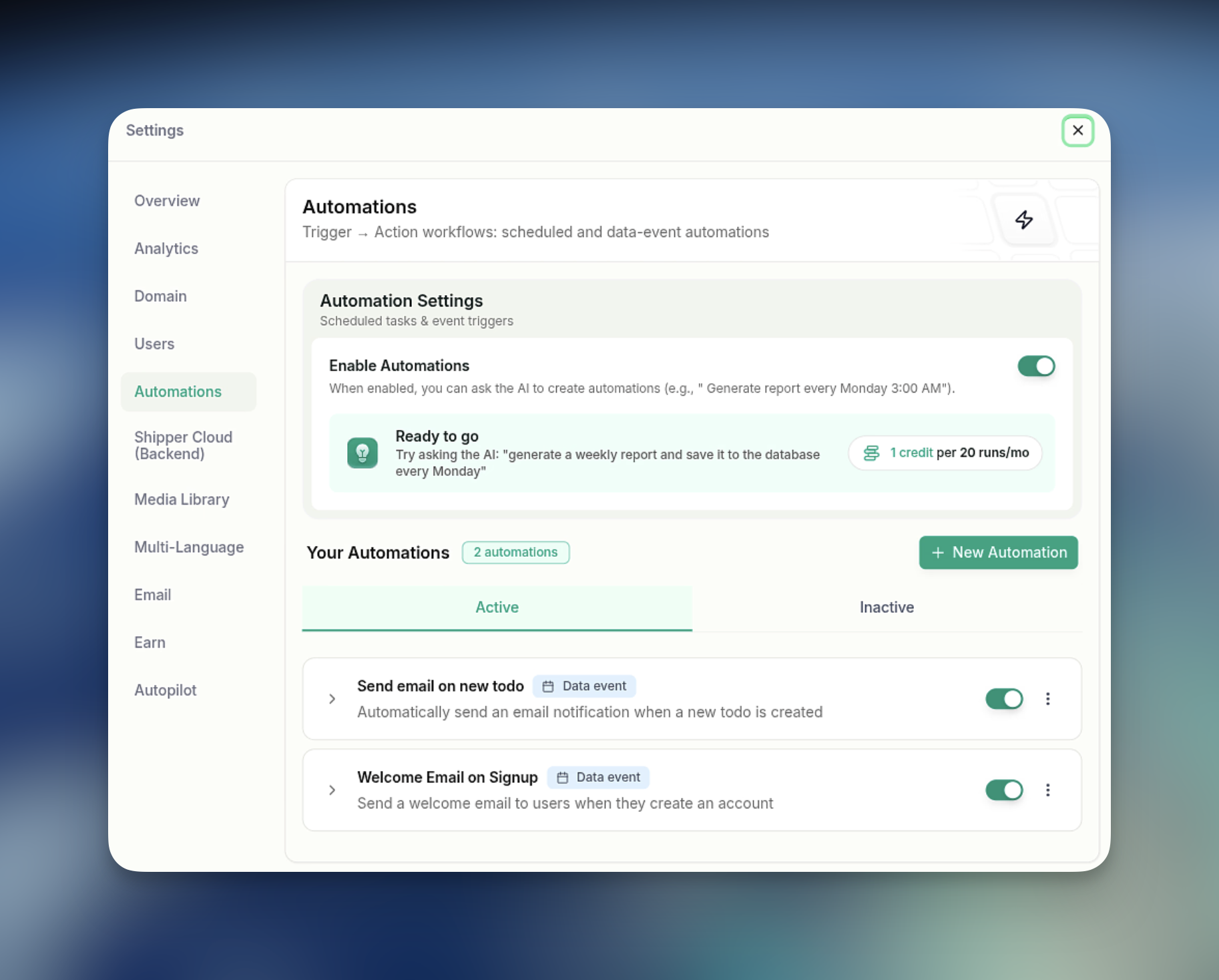
    Your apps can now do things on their own. Set up backend actions that run on a schedule or fire off automatically when something happens in your data, and let the AI write the logic for you.

    A couple of things you can build right now:

    ⏰ Scheduled jobs - recurring workflows like daily reports, weekly cleanups, or any background task on a cron. ("Clear archived todos every Monday.")

    ⚡ Data-event triggers - actions that run the moment something changes. ("Send an encouragement email when a user completes a todo.")

    Every automation comes with a run history, logs, a "Run now" button, and an on/off toggle, so you stay in control. Just describe what you want, and the AI scaffolds the action for you.

    💳 Pricing is simple: 1 credit per 20 runs.

    Go build something that runs while you sleep. 🌙
    image
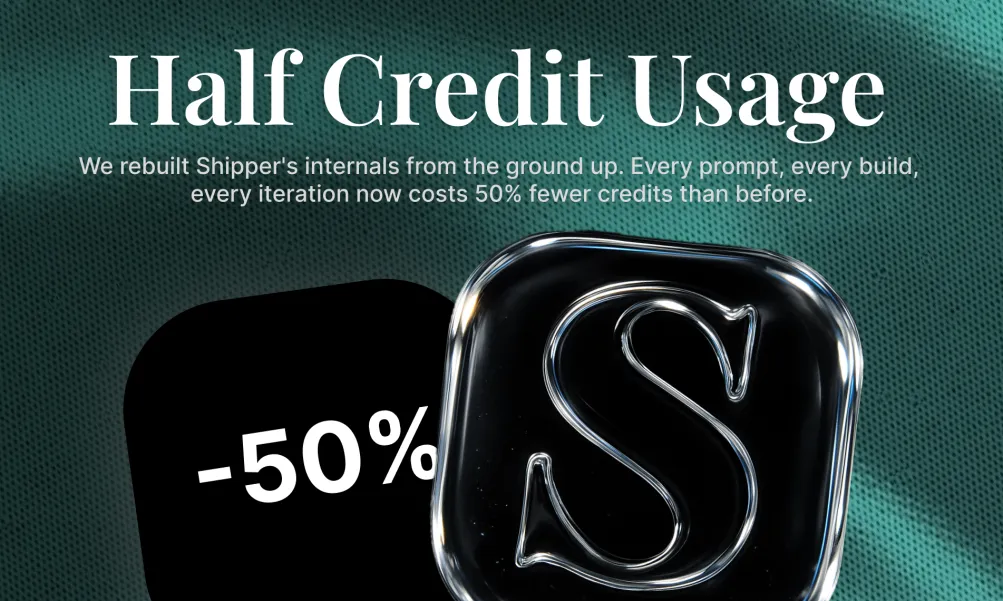
  2. Build the Same App With 50% Fewer Credits

    Improvement
    Announcement

    You spoke. We listened. Credits were the #1 piece of feedback, so we locked ourselves in and went deep on optimizations.

    The result:

    Shipper now uses 50% less credits than before. Same power. Half the cost. Every build, every iteration, every app.

    This wasn't a small tweak. We rebuilt how Shipper thinks, plans, and ships under the hood so you get more out of every credit you have.

    Go build something wild, then come back and tell us what you noticed!

    We read every reply.

    image
  3. New Update: AI image tools are live!

    New Feature
    Announcement

    We just shipped a big upgrade to the visual editor - and it's available to all builders right now.

    What's new:

    🖼️ AI Image Generation - Select any image in visual edit mode and generate a new one with a text prompt, right in place.

    📁 Upload Images - Drag and drop your own images directly from the editor tooltip.

    🗂️ Media Library - Browse, search, and reuse any image from your project without ever leaving the canvas.

    🌐 Auto Open Graph - Hit "Auto generate with AI" in Publish settings and get a social share image instantly.

    ✨ Smarter SEO - The builder now auto-fills your favicon, meta title, and meta description.

    These are things we've been building toward for a while. Go try it on your next project and let us know what you think 👇

    image
  4. New MASSIVE Update: Introducing AI Employees

    New Feature
    Announcement

    Instead of using one AI assistant for everything, Shipper gives you a full team of specialized AI employees working together on your business.

    They never take salaries or equity.... And they never take breaks!

    You get employees for:

    • engineering

    • design

    • marketing

    • operations

    • support

    • growth

    • research

    • content

    • and more

    Each employee has their own identity, memory, role, and expertise.

    You can talk to them individually, bring them into group conversations, assign tasks, ask questions, brainstorm ideas, or let them collaborate together behind the scenes.

    Need a landing page?

    Your designer and engineer work together.

    Need growth ideas?

    Marketing and research jump in.

    Need help fixing onboarding?

    Support, product, and analytics can review it together.

    This is the infrastructure for the one-person billion dollar company.

    Not AI copilots, but rather full-scale AI employees.

  5. New MASSIVE Update: Build video games by talking to AI!

    New Feature
    Announcement

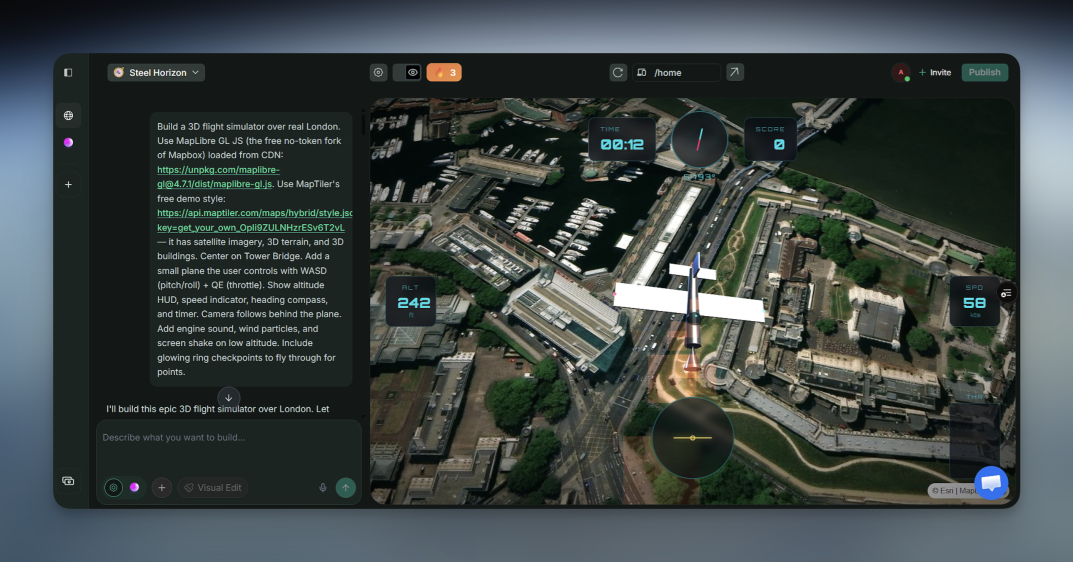
    Shipper can now build games.

    Prompt it with an idea, and it can generate playable browser games, from simple arcade games to 3D worlds, racing games, shooters, Minecraft-style prototypes, and flight sims.

    This is still early, but it already feels crazy:

    → describe the game

    → Shipper builds it

    → play it in the browser

    → share it

    → publish/export options are starting to come in too

    We’re focusing on reliability first: games should load, play, restart, and feel actually usable, not just look like a game screenshot.

    Try it and send us what you build!

    image
  6. New Update: Build LIQUID GLASS Apps!

    New Feature
    Announcement

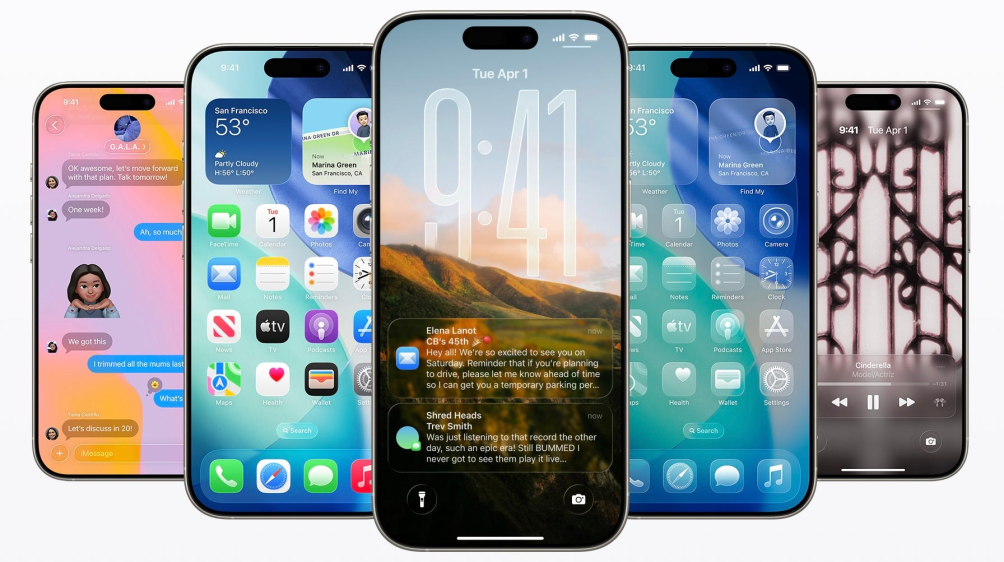
    Shipper can now build Liquid Glass mobile apps.

    Apple pushed this visual style with iOS 26, and suddenly everyone recognizes that glossy, layered, slightly translucent look. So instead of trying to reinvent anything, we just asked: what if your app could look like that by default?

    Now you can pick “Liquid Glass” as a design style, and Shipper applies it where it actually makes sense. Navigation, buttons, cards. Not the whole UI turned into a blur mess, just the parts that give that iPhone-like feel.

    How to do it:

    Go to app.shipper.now

    Click "+" then "Design Style"

    Scroll to the bottom

    Select "Liquid Glass"

    What will you build first?

    image
  7. New Update: Build Telegram Bots!

    New Feature
    Announcement

    You can now build Telegram bots directly with Shipper.

    Just describe the bot you want, add your Telegram bot token from BotFather, and Shipper builds the bot for you.

    A few examples:

    • AI calorie tracker bot

    • SaaS tweet idea bot

    • customer support bot

    • paid community bot

    • quiz bot

    • booking/reminder bot

    • simple tool people can use inside Telegram

    Telegram bots can also use Shipper Cloud, AI, APIs, and payments, depending on what you build.

    This is live now inside Shipper.

  8. New Update: Video Studio is now live inside Shipper

    New Feature
    Announcement

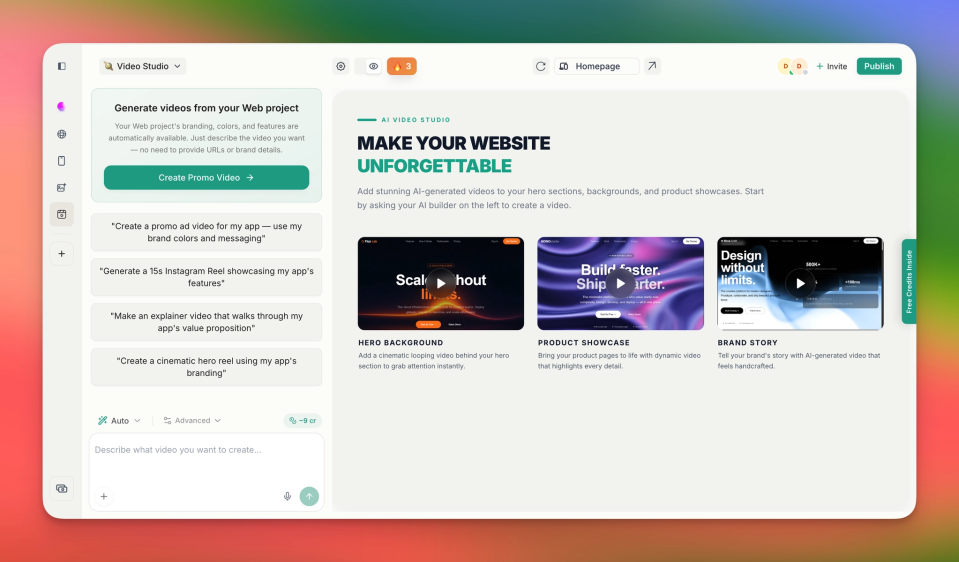
    You can now create videos directly inside Shipper, without leaving your project.

    Use it to generate:

    motion graphics

    animated background videos

    product showcase videos

    brand/story videos

    AI-generated promo videos from your project

    We also added presets, video previews, generated video history, credit visibility, and a simple “Use in Project” flow so you can drop the video straight into your app/site when it’s ready.

    Try it from the new Video Studio tab in Shipper.

    image
  9. New Update: Image Workspace is live in Shipper

    New Feature
    Announcement

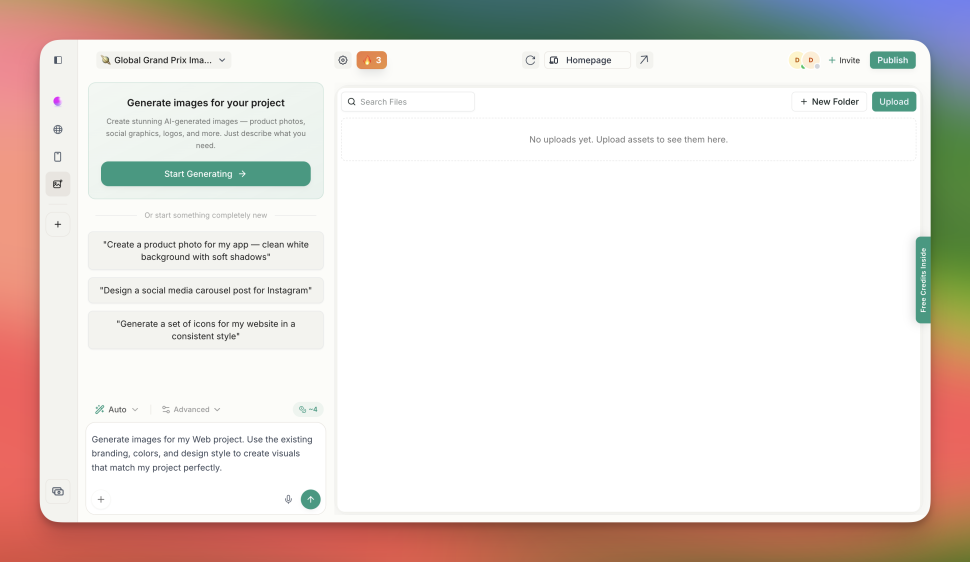
    Generating images for an app always turned into a side quest. Different tools, downloads, re-uploads, and figuring out where things go.

    So we built it directly into Shipper.

    What you can do now:

    1/ Generate product photos, social posts, illustrations, logos

    2/ Get multiple variations and pick the best

    3/ Edit images with prompts

    4/ Remove backgrounds

    5/ Stay fully inside your project (no tabs, no exporting)

    We default to high-quality models, but faster options are available if you want to save credits.

    This is just the start.

    Next up: making it smarter about your project so it can suggest and place images automatically.

    Would love to hear how you use it 👀

    What’s the first thing you’re generating?

    https://x.com/shipper_now/status/2049798212878508497

    image
  10. New Update: Page Settings just got a full upgrade inside Shipper ⛴️

    Announcement
    Improvement

    What’s new:

    • Clean page dropdown experience

    You instantly see all pages, with the active one clearly highlighted and actions right where you expect them

    • Faster actions

    Edit, settings, preview, delete… all one click away, no clutter

    • Proper Page Settings modal

    You can now control:

    – Page title + URL

    – Featured image

    – SEO (meta title + description)

    – Open Graph (for sharing)

    • Instant delete + rename that actually works

    No more extra prompts or AI steps

    Pages update instantly, and routing is handled for you in the background

    • Redirects are now real

    If you change a page URL, we actually handle the redirect properly, so things don’t break